
The best airflow PC case in 2026 is not the one with the most RGB — it is the one that lets cool air reach the CPU and GPU without turbulence, dead zones, or recycled hot air. Mesh front panels, independent chambers, and balanced fan curves beat glass sides every time. Here is what to look for.
Quick Answer: 3 Features That Define Airflow
| Feature | Why It Matters | What to Look For |
|---|---|---|
| Mesh or perforated front | Solid glass fronts starve intake by 30-50% | Mesh, honeycomb, or open grille — not a full glass front |
| Straight air path | Air should flow front to rear, bottom to top without bends | Open interior, no shroud blocking intake |
| Separate PSU chamber | PSU exhaust does not recycle hot air into the case | Covered PSU bay with its own intake |
A case with these three things runs 5-15 C cooler than a glass-fronted showpiece with the same fans.
Mesh Front vs Open Chamber vs Solid Glass
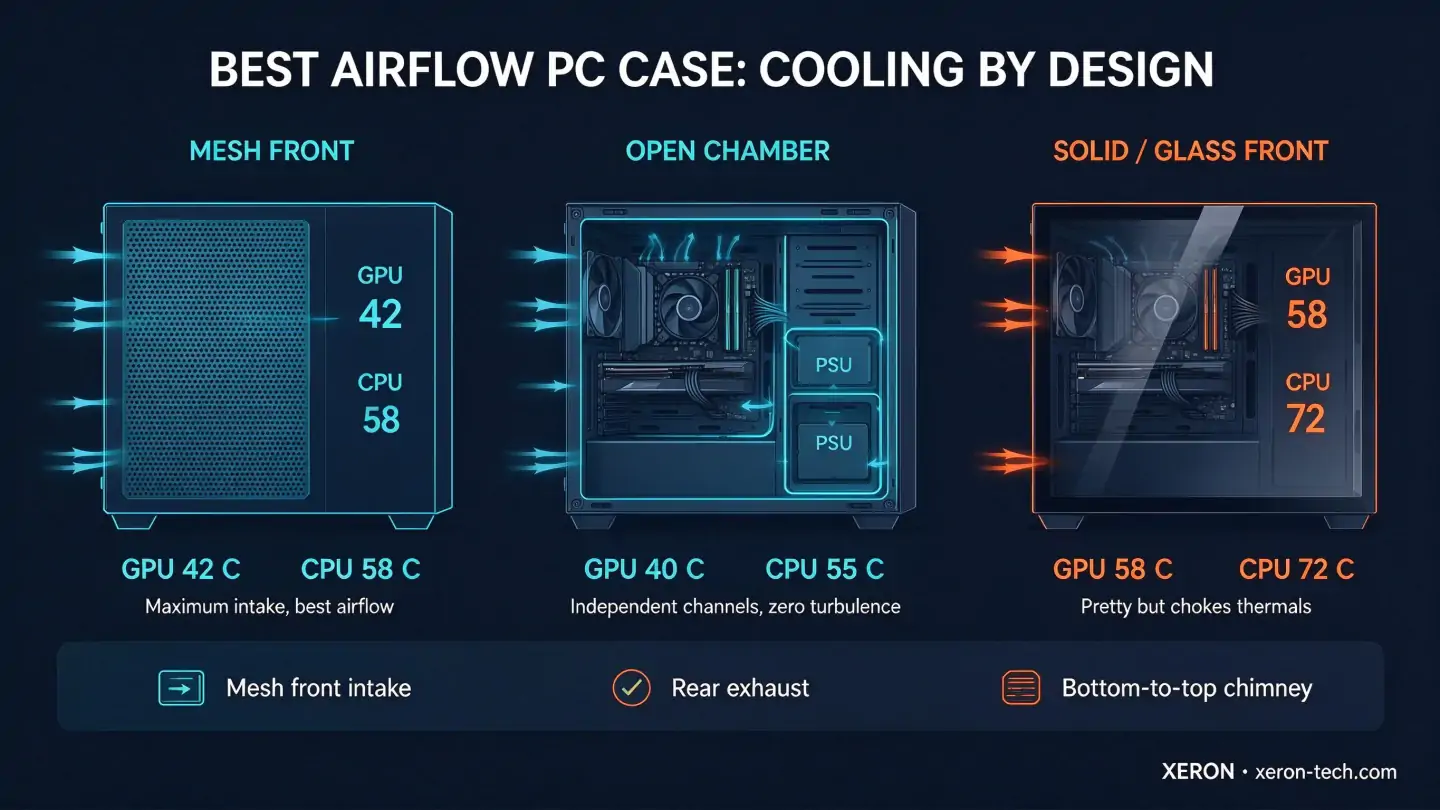
| Front Style | Typical Temps | Tradeoff |
|---|---|---|
| Mesh front | GPU 42 C / CPU 58 C | Best intake, but looks plain and picks up dust |
| Open chamber | GPU 40 C / CPU 55 C | Independent channels, best cooling, more expensive |
| Solid / glass front | GPU 58 C / CPU 72 C | Looks premium, but chokes thermals by 15+ C |
The numbers above are typical room-temp results with the same fan config. If you see a case with a full glass front and no side intake, expect your GPU to run hotter — even with more fans.
Fan Config: Intake vs Exhaust Balance
Airflow is not just about the case — it is about how you set the fans:
| Setup | Result | When to Use |
|---|---|---|
| Positive pressure (more intake than exhaust) | Cleaner dust, slightly higher temps | Dusty rooms, quiet builds |
| Balanced (equal intake and exhaust) | Best thermals, neutral dust | Default for most builds |
| Negative pressure (more exhaust) | Max cooling, but pulls dust through cracks | Extreme overclocking, bench systems |
Most people should run 2-3 front/bottom intake fans and 1-2 rear/top exhaust fans. That balanced config is the sweet spot.
Why Solid Glass Fronts Hurt Thermals
Glass looks great, but it blocks 100% of intake. Without mesh on the front, fans have to pull air through cracks, filters, or gaps — static pressure skyrockets, airflow drops, and components heat up. A glass front with three 140mm intake fans can run worse than a mesh front with two 120mm fans.
If you want glass, look for cases with glass side panels but mesh or perforated front panels. The XERON lineup uses mesh front intake plus tempered glass side — you get the showpiece side and the cooling front.
Best Airflow Cases from XERON
| Model | Airflow Design | Why It Cools |
|---|---|---|
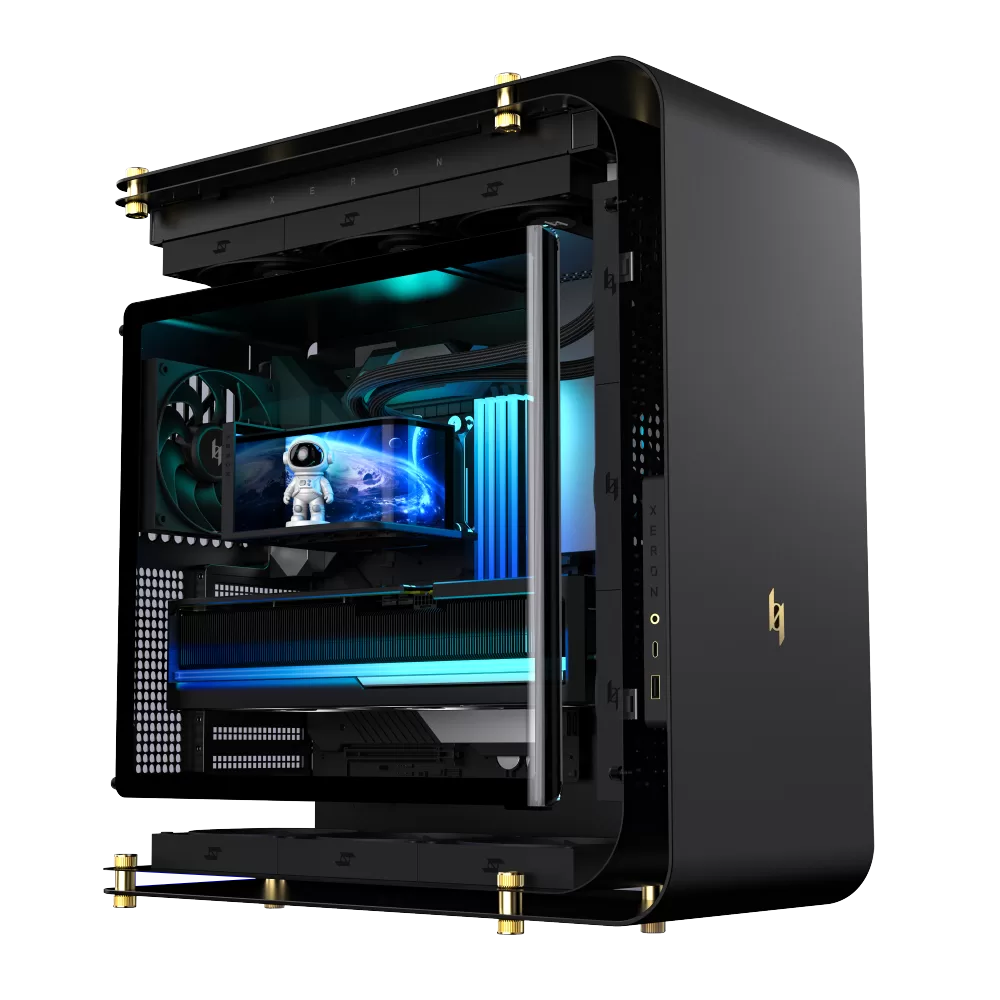 NEX C Lab | Independent CPU / GPU / PSU channels | Each component gets its own fresh air, no turbulence |
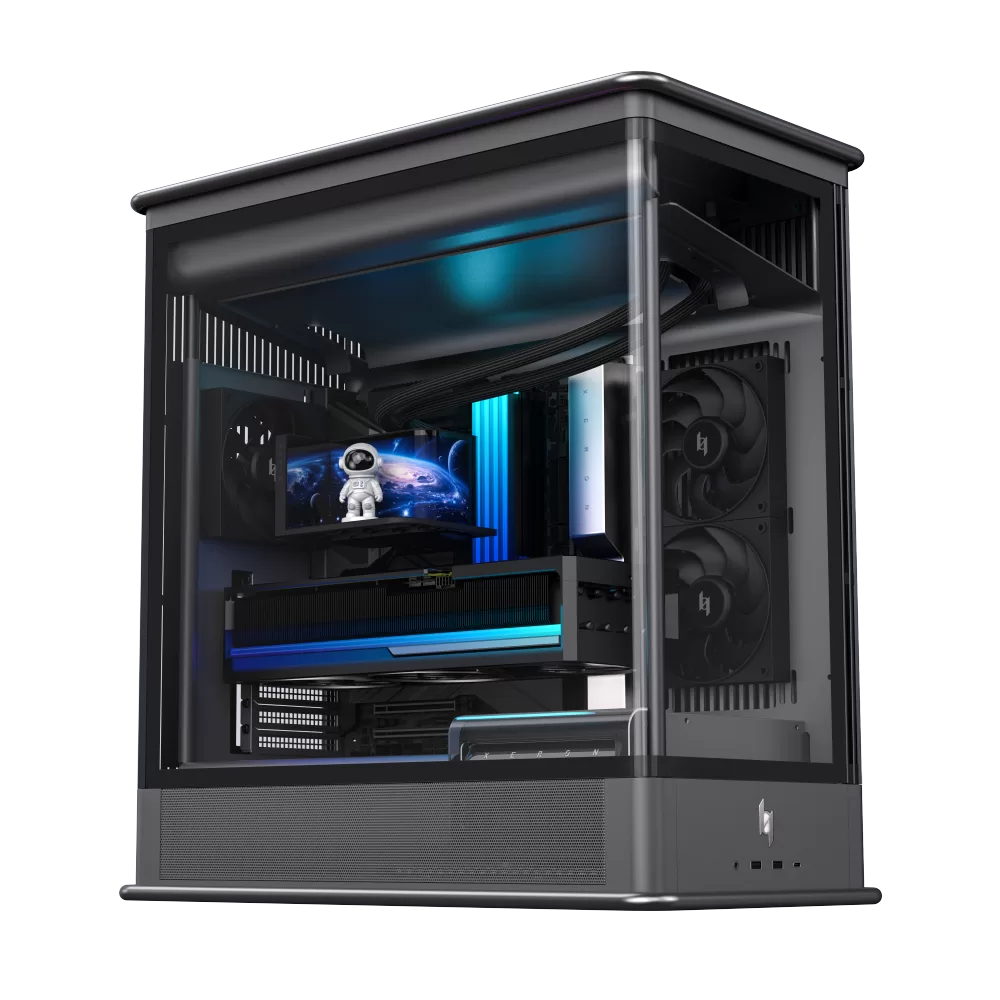 NEX S Lab | Open frame or louvered shell, top full opening | Zero obstruction, maximum natural convection |
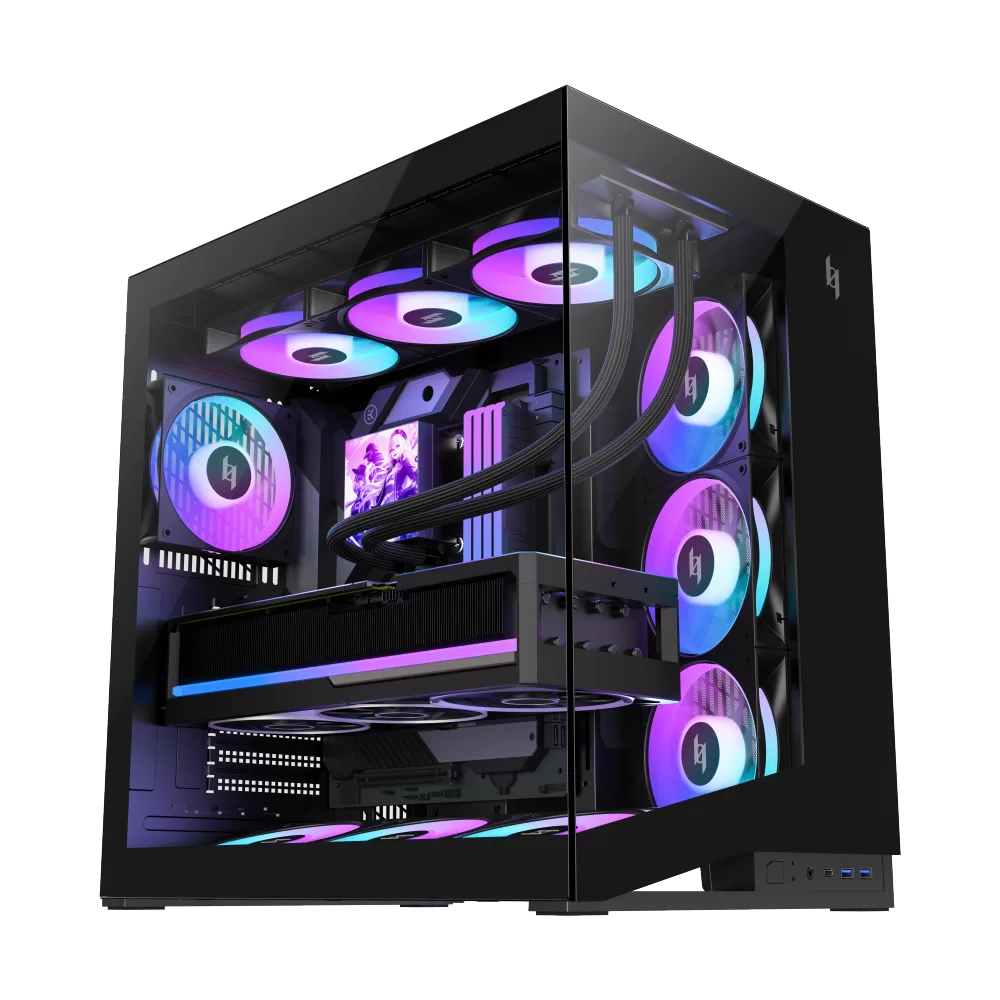 NEX C56 | 3x 120mm bottom intake, 3x 120mm side, rear exhaust | Straight path from bottom to rear, 425mm GPU clearance |
Best Airflow PC Case — FAQ
| Question | Answer |
|---|---|
| Is mesh front always better than glass? | For thermals, yes. Mesh lets 3-5x more air through than glass. If you care about RGB visibility, a glass side panel plus mesh front is the compromise. |
| Do more fans always mean better airflow? | No. Five fans pushing against a solid front will still choke. Fan count matters less than the intake path and static pressure curve. |
| Should I use positive or negative pressure? | Positive pressure (more intake) keeps dust out and is fine for most builds. Negative pressure runs cooler but pulls dust through every gap. |
| Does a bigger case cool better? | Sometimes. A bigger case has more volume and more fan mounts, but if the air path is bent or blocked, it runs worse than a smaller well-designed case. |
| Are open-frame cases the best for airflow? | They are the best for raw cooling, but they are loud, pick up dust, and are not practical for daily use. They are enthusiast hardware, not everyday cases. |
| Does dust filter hurt airflow? | A clean filter barely matters. A clogged filter can cut intake by 30-40%. Clean filters every 3 months. |
| Is top exhaust better than rear exhaust? | Hot air rises, so top exhaust helps. But rear exhaust is more direct for CPU coolers. A case that supports both is ideal. |
| Does vertical GPU mount hurt airflow? | Slightly. A vertical GPU pulls air from the side; if the glass is close, intake is restricted. Cases with 40-60mm side clearance avoid this. |
Related Cooling Guides
| Topic | Read Next |
|---|---|
| Fit a 360mm AIO | PC Case for 360mm Radiator |
| Vertical GPU mount | PC Case with Vertical GPU Mount |
| Build a quiet rig | Quiet PC Case: Build a Silent Rig |
| Shop airflow cases | Explore XERON Cases |
Want the coolest, quietest build possible? XERON cases are engineered around straight airflow, mesh intake, and independent channels — no glass-starved thermals. Browse the XERON lineup →