
There is exactly one mistake in ARGB wiring that can cost you a set of fans, and it takes about four seconds to make: plugging a 3-pin 5V ARGB connector into a 4-pin 12V RGB header. The two look almost identical, they sit next to each other on the motherboard, and they do completely different things. Get that wrong and you send 12V into LEDs that were built for 5V. Get it right and the whole job is thirty seconds of work. Here is the whole method — both headers, both cables, the daisy chain, and the XERON fans built for it.
Quick Answer: Three Rules Before You Plug Anything In
| The short version: an ARGB fan needs two connections, not one. A 4-pin PWM cable for power and speed, and a 3-pin 5V ARGB cable for lighting. Fans chain together with a 7-pin link so you only need one of each at the motherboard end. Count the pins, read the label, and the order is never in doubt. |
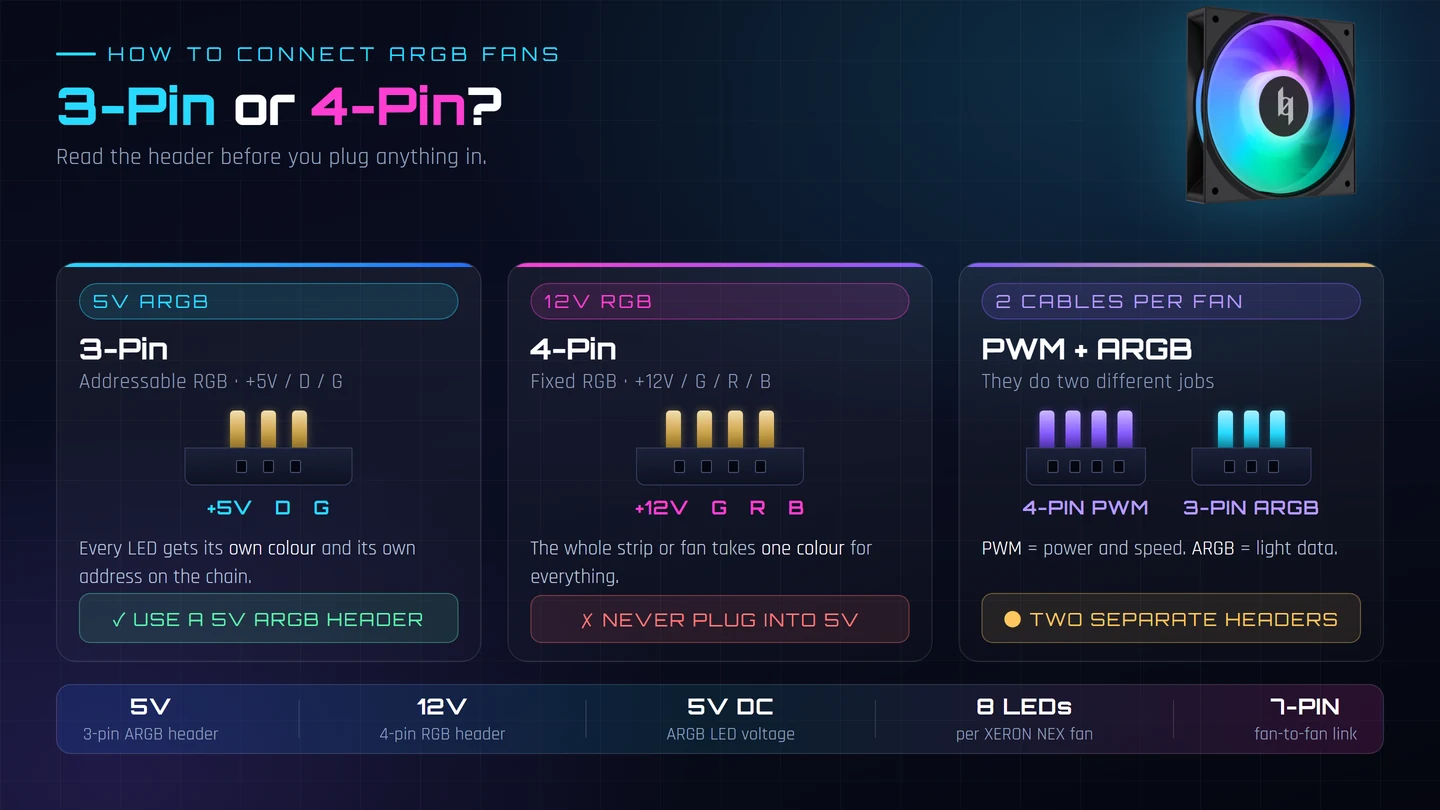
| Rule 1 — Match the voltage, not the shape. 3-pin with +5V / D / G is ARGB. 4-pin with +12V / G / R / B is fixed RGB. They are not interchangeable and they do not negotiate. |
| Rule 2 — Two cables per fan. The 4-pin PWM cable powers the motor and carries the speed signal. The 3-pin ARGB cable carries light data only. Plugging in only one gives you a fan that spins but never lights, or lights but never spins. |
| Rule 3 — Chain the fans, then break out once. Fan to fan uses the 7-pin male into the 7-pin female. Only the last fan in the chain needs to break out to the motherboard’s 5V ARGB header and 4-pin PWM header. |
Know Your Two Headers: 3-Pin 5V ARGB vs 4-Pin 12V RGB
This is the single most important thing to understand before any cable touches a motherboard. ARGB and RGB are different technologies that share a colour palette and nothing else.
| 3-Pin 5V ARGB | 4-Pin 12V RGB | |
|---|---|---|
| Pin order | +5V · D · G | +12V · G · R · B |
| Full name | Addressable RGB / 5V ARGB | Fixed RGB / 12V RGB |
| Colours | Every LED gets its own colour and its own address | One colour for the whole strip or fan |
| Effects | Rainbow waves, per-LED colour chase, reactive lighting | Solid colour only |
| Header label | Usually ADD_RGB, ARGB or ADDRESSABLE | Usually RGB or LED |
| Wire gauge | Thinner — 5V and less current | Thicker — 12V and more current |
| XERON reference | NEX F120A / F120RA: 3-pin (+5V-D-G), 5V DC, 8 LEDs | MAX F120 is a non-RGB fan — no lighting header at all |
| The rule that matters: never force a 5V ARGB plug into a 12V RGB header. The physical fit can look close enough to be tempting, but you are pushing 12V through LEDs rated for 5V — and through a header that was not designed for that current. Cross it once and the LEDs on that fan are scrap. If you are unsure, count the pins. Three is ARGB. Four is RGB. |
Every ARGB Fan Has Two Cables
Here is the thing that catches people: the lighting and the fan motor are two completely separate circuits. A modern ARGB fan is a small computer fan (12V, PWM speed control) with a string of addressable LEDs (5V, data protocol) glued to the same frame. They have different voltages, different connectors and different jobs.
| Cable | Connector | Carries | Goes To |
|---|---|---|---|
| Fan power + speed | 4-pin PWM | 12V DC power and the PWM speed-control signal | A 4-pin PWM header on the motherboard — usually SYS_FAN or CASE_FAN |
| Lighting | 3-pin ARGB | 5V power and the addressable data signal | A 5V addressable header on the motherboard |
| Fan to fan | 7-pin | Both PWM and ARGB, in one harness | The neighbouring fan’s 7-pin socket — this is the daisy chain |
The numbers on the XERON NEX F120A make this concrete: the fan motor side runs at 12V DC, 0.18A, 2.16W on the 4-pin PWM connector, while the lighting side runs at 5V DC, 0.25A, 1.25W across 8 addressable LEDs on the 3-pin connector. Two different rails, two different headers, and the fan needs both.
| One fan, one symptom: if your fans spin but stay dark, the PWM cable is fine and the ARGB cable is not connected (or is in the wrong header). If they light up but never spin, the reverse. That one-to-one symptom is the fastest diagnosis there is. |
The Daisy Chain: 7-Pin Male Into 7-Pin Female
Most ARGB fans in a case are the same model, so you do not need a hub for every one of them. Each fan has a 7-pin female connector and a 7-pin male connector, and the 7-pin harness carries power, speed and lighting data together. You plug the male of one fan into the female of the next, and the chain grows in whichever direction you built it.
This is the official wiring diagram from the XERON NEX F120A 3-in-1 bundle. Read it as a flow: the fans sit in a row, the 7-pin link carries the chain from fan to fan, and the harness breaks out at the end into the two motherboard headers.
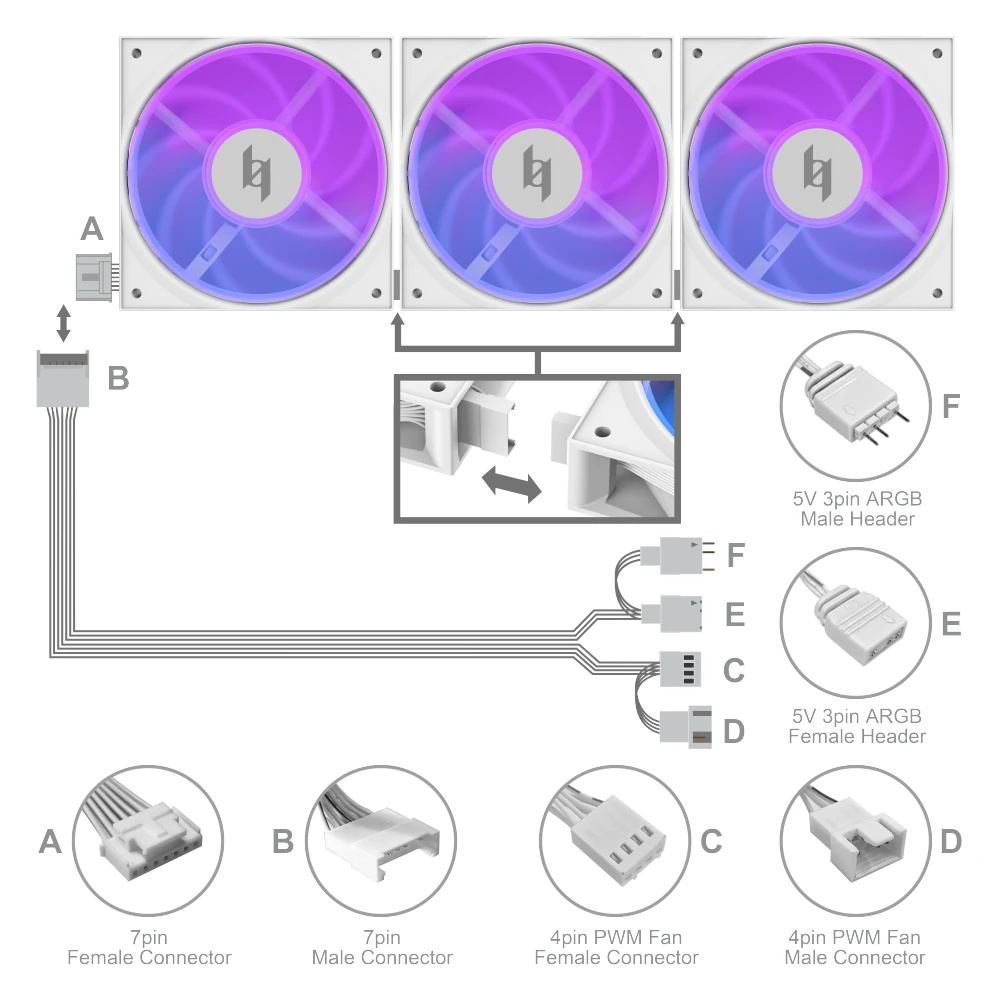
| A — 7-pin female connector. The input socket. It takes the male plug coming from the fan before it. |
| B — 7-pin male connector. The output plug. It goes into the next fan’s 7-pin female socket and carries both PWM and ARGB onward. |
| C — 4-pin PWM fan female connector. The end of the chain that plugs into your motherboard’s 4-pin PWM fan header. |
| D — 4-pin PWM fan male connector. The mating end that clips into the PWM female. In a chain, each fan’s PWM male feeds the next fan’s PWM female. |
| E — 5V 3-pin ARGB female header. The end of the chain that plugs into your motherboard’s 5V addressable RGB header. |
| F — 5V 3-pin ARGB male header. The mating end that clips into the ARGB female, carrying the data from fan to fan. |
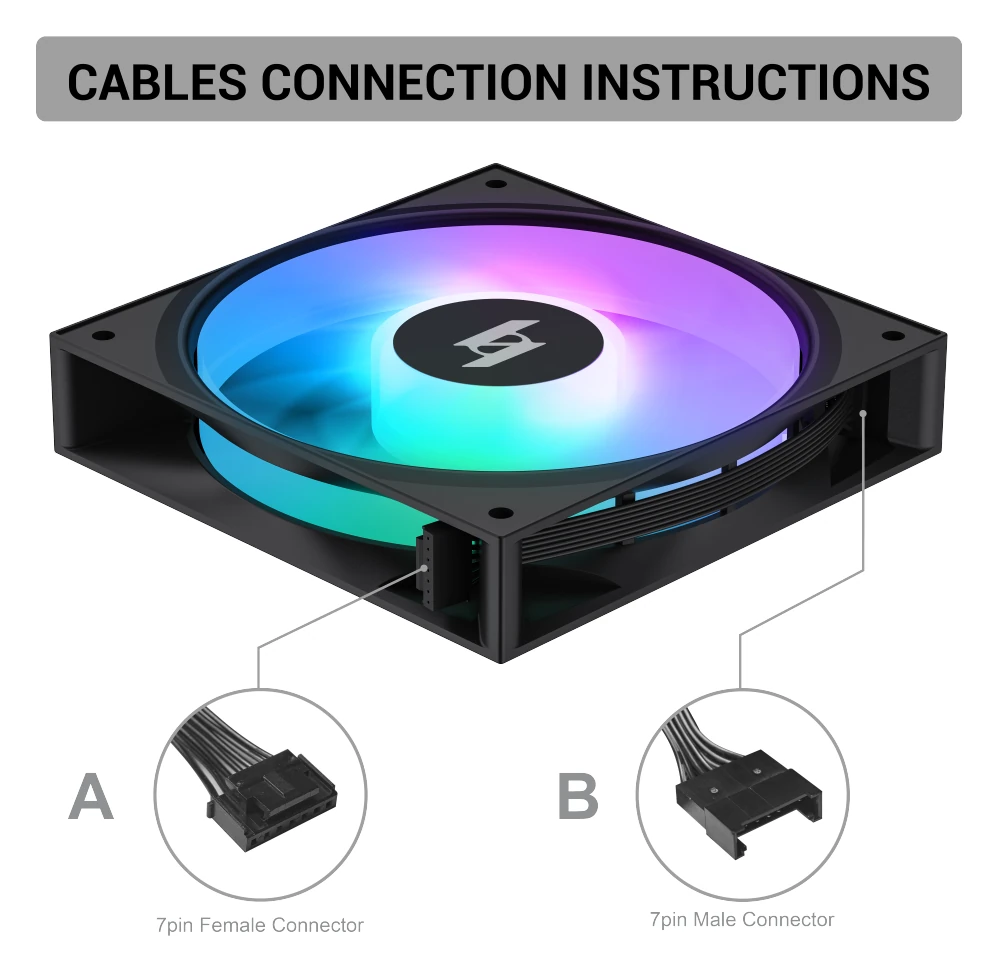
One fan on its own uses the same two connectors in a simpler form — a 7-pin female and a 7-pin male, with the break-out harness at the end of it:
| Why the 7-pin link matters: if you chain three fans this way, you use one motherboard PWM header and one motherboard ARGB header instead of three of each. Most motherboards ship with two or three fan headers and only one or two ARGB headers — so the daisy chain is what makes a six-fan ARGB build possible at all. |
Breaking Out to the Motherboard
The end of the chain is the only part that touches the motherboard, and it is a two-way split. Take the harness at the end of your chain and you will find two connectors leaving it: the 5V 3-pin ARGB plug and the 4-pin PWM plug. They go to two different headers.
| What You Find | Where It Goes | What You Get |
|---|---|---|
| 5V 3-pin ARGB | A 5V addressable header — ADD_RGB, ARGB or ADDRESSABLE | Full per-LED colour control and every animated effect |
| 4-pin PWM | A 4-pin fan header — SYS_FAN or CASE_FAN | Power and PWM speed control for the whole chain |
| 7-pin (fan to fan) | Never into the motherboard | Just extends the chain to the next fan |
And that is the whole method. Three connector types, two motherboard headers, one chain.
Step by Step: Wiring a 3-Pack of NEX F120A
Here is the exact order. Build the chain on the bench with the PC switched off, then move it into the case.
| 1. Switch off and unplug. Never wire ARGB with the PC on. Remove the power cable, and hold the power button for a few seconds to drain the capacitors. |
| 2. Lay the fans out in position. Decide the order now, because the chain follows the physical order. Exhaust fans at the back, intake fans at the front and bottom. |
| 3. Identify the headers before you touch a cable. Find the 5V ARGB header and the 4-pin PWM header on the motherboard. If your board only has a 4-pin RGB header and no 5V ARGB header, your ARGB fans cannot sync directly — you need an ARGB controller or a converter. |
| 4. Chain the fans. Plug the 7-pin male of fan 1 into the 7-pin female of fan 2. Then fan 2’s male into fan 3’s female. Push until the latch clicks — a half-seated 7-pin plug is the number one cause of a single dead fan in a chain. |
| 5. Break out the end of the chain. The last fan’s harness splits into the 5V 3-pin ARGB plug and the 4-pin PWM plug. |
| 6. ARGB first. Plug the 5V 3-pin ARGB connector into the motherboard’s 5V addressable header. It only fits one way — the keyed shape means you cannot insert it backwards, but you can still force it into the wrong header. |
| 7. PWM second. Plug the 4-pin PWM connector into a 4-pin SYS_FAN or CASE_FAN header. If you run out of fan headers, a powered splitter is the clean answer. |
| 8. Route the cables. The NEX F120A has a hidden cable management design so the harness runs along the frame rather than across it. Route the chain behind the motherboard tray or through the case’s cable channels before you close the panel. |
| 9. Power up and test. The fans should spin and light immediately, on the board’s default effect. If they do not, unplug and re-check the ARGB header before touching anything else. |
| 10. Set the effect in software. Only now open your board’s RGB software and pick a profile. |
Forward or Reverse Blade? Pick Before You Buy
Blades come in two directions, and the choice is about airflow, not looks. A forward fan pushes air in the direction of its airflow arrow. A reverse fan moves air the other way relative to the same arrow, which lets you build a case where intake and exhaust fans face the same visual direction while still moving air one way through the chassis.
The XERON NEX F120A offers optional forward/reverse blades for exactly this reason, and the dedicated NEX F120RA ships with reverse blades as standard.
| NEX F120A | NEX F120RA | |
|---|---|---|
| Blade direction | Forward, or reverse with the optional blades | Reverse |
| Typical use | Exhaust positions, or as a matched pair | Intake positions where you want the frame to face the same way as the rest |
| Airflow | 54.87 CFM | 55.08 CFM |
| Static pressure | 1.42 mmAq | 1.38 mmAq |
| Noise | 27.9 dB(A) | 30.3 dB(A) |
| Weight | 152.4g | 148.26g |
If you are still deciding the layout, the complete gaming PC case guide covers where each fan should go and how much clearance you need around a radiator.
Sync Software: Making the Colours Match
Hardware gets the lights on. Software gets them matching. Once the fans are physically connected to a 5V addressable header, your motherboard’s RGB software is what drives them — and it is the only place you pick effects, speed and colour.
| Use one application for the whole build. Mixing two RGB utilities on one machine is the usual cause of half the case lighting one colour and half another. Run only your motherboard vendor’s lighting software. |
| Pick the right header. In the software, choose the header you actually plugged into — usually ADD_RGB or ARGB_1. Effects are applied per header. |
| Set the mode, then the colour. Most utilities separate the two: a mode (static, rainbow, wave) and a palette. A static mode with an off-white palette looks intentional; a rainbow mode at full speed looks like a gaming room. |
| Watch the speed slider. ARGB effects at maximum speed are distracting behind a glass panel. Most utilities drop this to a 20–40% default for a reason. |
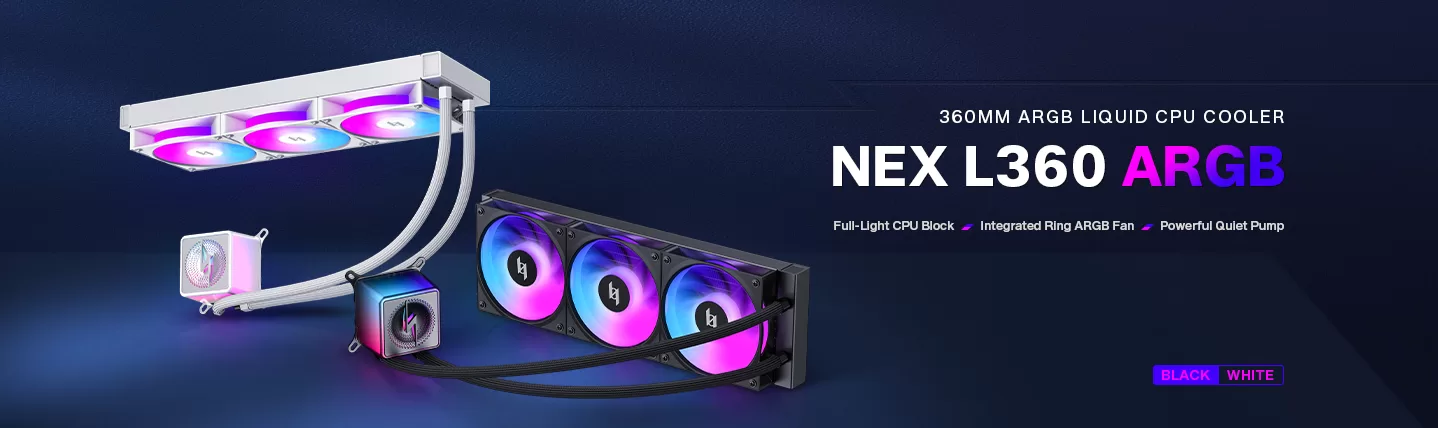
| Your AIO counts too. The NEX L360 ARGB ships with three daisy-chained 120mm ARGB fans on a single cable, and its illuminated cold head runs on the same kind of 5V ARGB header. Put the pump header on the same channel as the case fans so the whole build moves as one. |
| No software? If nothing appears, disable the effect rather than the header — a powered-off ARGB header still lights fans in a default pattern on most boards, which tells you the wiring is fine and the problem is the software. |
Lighting also has a physical side: how many fans you put on one header determines how much current it sees. Each NEX ARGB fan draws 0.25A at 5V on the lighting line, so a three-fan chain is 0.75A. Check the header current limit in your motherboard manual, and use a powered ARGB controller rather than the board header once you are past three or four fans.
Troubleshooting: Six Problems and Their Fixes
| Symptom | Most Likely Cause | Fix |
|---|---|---|
| Fans spin, no light | The 3-pin ARGB cable is not connected, or it is in a 12V RGB header | Move it to the 5V addressable header. Check the pin count before you push |
| Lights work, fans do not spin | The 4-pin PWM cable is unplugged, or the header is set to DC mode | Plug the PWM connector in and switch the header to PWM mode in BIOS |
| One fan in the chain stays dark | A 7-pin link is not fully seated, or a daisy-chain link is reversed | Unplug and re-seat every 7-pin connection. The latch must click |
| Everything is one solid colour | You are on a 12V fixed-RGB header, or sync software is not running | Confirm the header is 5V addressable, then open your board’s RGB software |
| Colours flicker while animating | Too many fans on one header, or a marginal connector | Reduce the chain length or move to a powered controller; reseat the ARGB plug |
| Case fans and AIO fans differ | They are on different ARGB headers or different software channels | Put both on the same header or the same software profile |
Which XERON Fan Should You Buy
Four fans cover the decisions people actually make: do you want lighting at all, which direction should the blades push, and are you buying singles or a wired bundle.
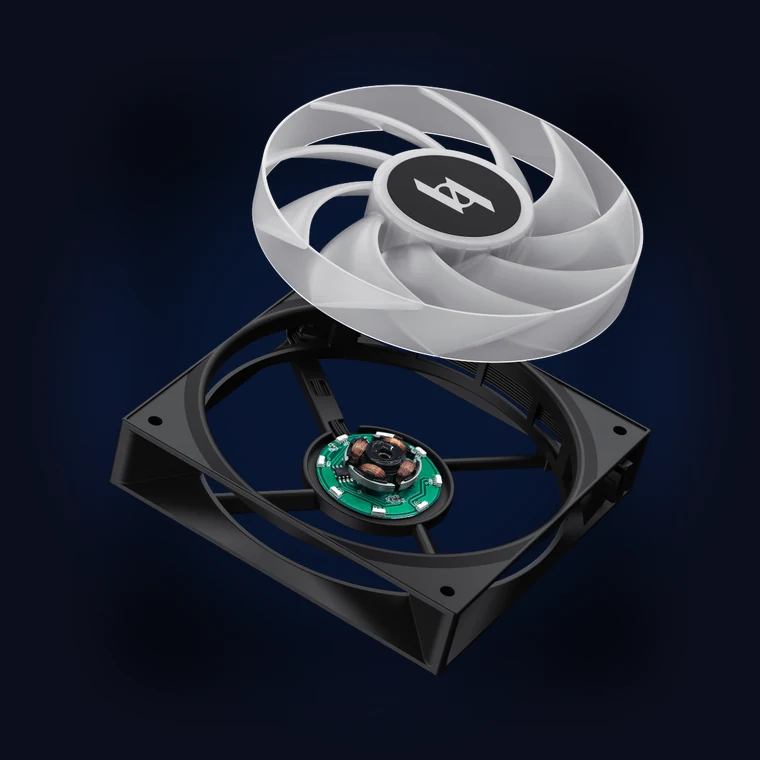 | Addressable RGB · singleNEX F120A120×120×25mm · 54.87 CFM · 1.42 mmAq · 27.9 dB(A) · 800–1800 RPM · 3-pin (+5V-D-G) ARGB · 8 LEDs
|
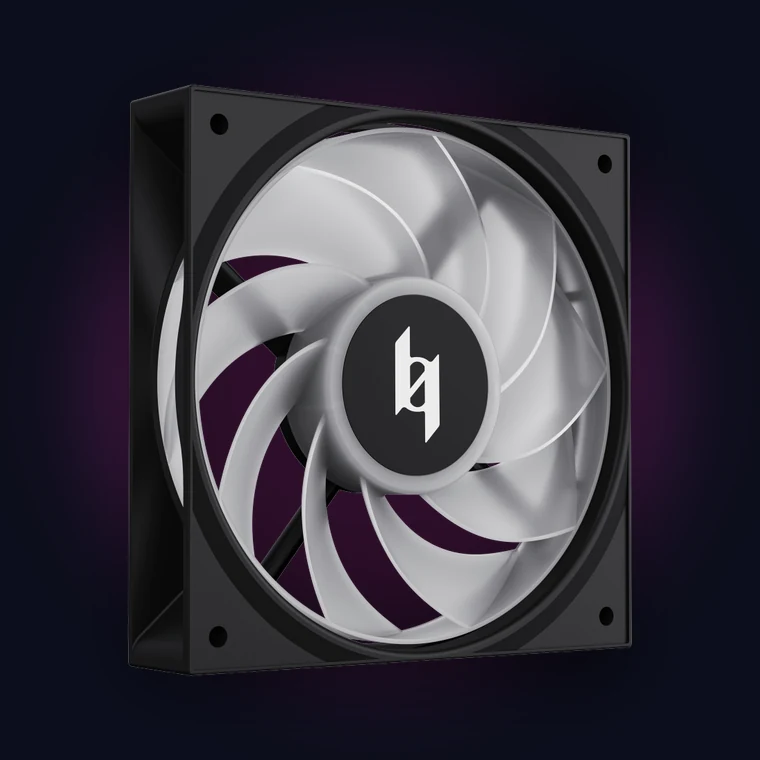 | Reverse blade · addressable RGBNEX F120RA120×120×25mm · 55.08 CFM · 1.38 mmAq · 30.3 dB(A) · 800–1800 RPM · 3-pin (+5V-D-G) ARGB · 8 LEDs
|
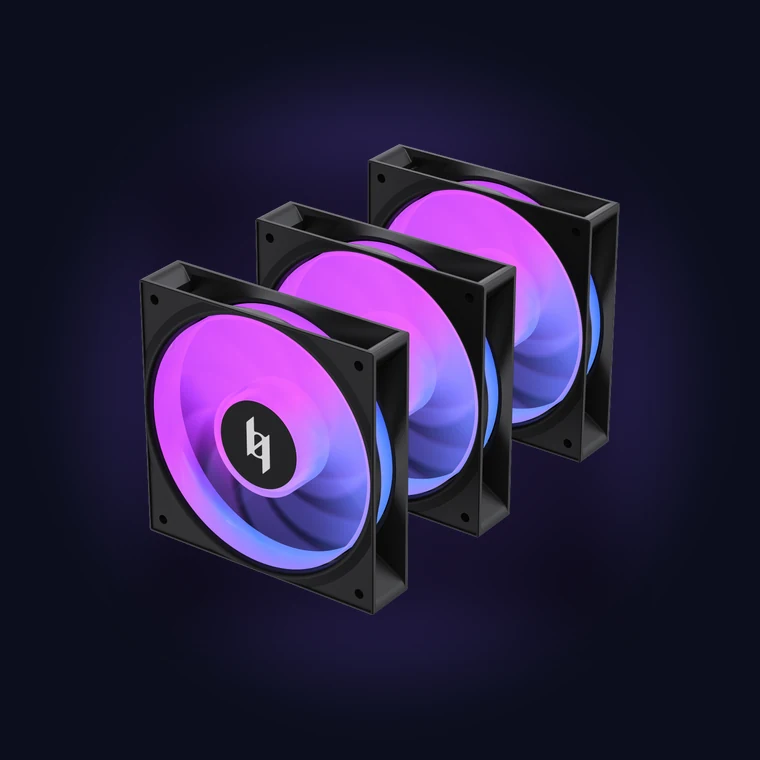 | 3-in-1 bundle · one cableNEX F120A 3-in-13× 120×120×25mm · 444.78g total · 55.08 CFM · 1.38 mmAq · 30.3 dB(A) · 800–1800 RPM · 3-pin (+5V-D-G) ARGB
|
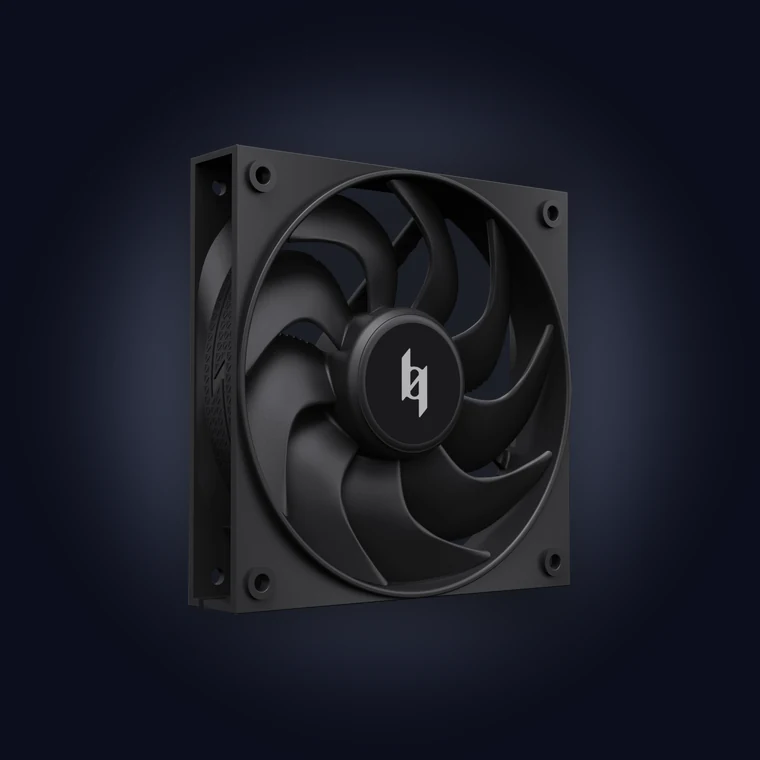 | No lighting · max airflowMAX F120120×120×25mm · 79 CFM · 5.51 mmAq · 33.91 dB(A) · 500–2400 RPM · 4-pin PWM only · FDB bearing
|
| NEX F120A | NEX F120RA | NEX F120A 3-in-1 | MAX F120 | |
|---|---|---|---|---|
| Lighting | ARGB | ARGB | ARGB | None |
| Blades | Fwd or Rev | Reverse | Fwd or Rev | Forward |
| Pack | 1 fan | 1 fan | 3 fans | 1 or 3 |
| Size | 120×120×25mm | 120×120×25mm | 120×120×25mm | 120×120×25mm |
| Speed | 800–1800 RPM | 800–1800 RPM | 800–1800 RPM | 500–2400 RPM |
| Airflow | 54.87 CFM | 55.08 CFM | 55.08 CFM | 79 CFM |
| Pressure | 1.42 mmAq | 1.38 mmAq | 1.38 mmAq | 5.51 mmAq |
| Noise | 27.9 dB(A) | 30.3 dB(A) | 30.3 dB(A) | 33.91 dB(A) |
| Bearing | Hydro | Hydro | Hydro | FDB |
| Fan connector | 4-pin PWM | 4-pin PWM | 4-pin PWM | 4-pin PWM |
| LED connector | 3-pin (+5V-D-G) | 3-pin (+5V-D-G) | 3-pin (+5V-D-G) | — |
| LED count | 8 | 8 | 8 | — |
| Pick it if | You want lighting and the quietest run | You need reverse airflow | You want three fans, one cable | You do not need lights |
Cases That Arrive With ARGB Already Wired
There is a third option to buying fans at all: buy a case that already has them, and the wiring is somebody else’s problem. Every XERON case below ships with ARGB fans pre-installed, so you are connecting one chain to your board instead of building one.
| Case | Pre-Installed Fans | What That Means For You |
|---|---|---|
| NEX C56 | 7×120mm ARGB/PWM — 3 bottom, 3 at the motherboard mount, 1 rear | A fully lit seven-fan build with nothing to buy and nothing to wire except one chain |
| NEX C53 | 4 pre-installed ARGB fans with ring blades — 1 rear, 3 bottom | The easiest lit build in the range, in a 235mm-wide compact body |
| NEX C51 | 3 ARGB fans — 1 rear, 2 at the motherboard mount | A full ATX board with lighting already fitted |
| NEX C31 | 3 ARGB fans — 1 rear, 2 at the motherboard mount | The smallest build here that still comes lit |
The how to choose a gaming PC case guide covers the fit numbers behind each of these — GPU length, CPU cooler height, radiator space and drive bays — and the airflow case guide explains why the bottom intake position matters so much for a lit build.
ARGB Fans: FAQ
| Can I plug ARGB fans into an RGB header? | No. A 12V RGB header will push 12V through 5V LEDs, and a 3-pin plug will not physically fit a 4-pin socket anyway — the shape is there to stop you. If your motherboard only has a 4-pin RGB header, you need an ARGB-to-RGB converter or a dedicated ARGB controller. |
| What is the difference between ARGB and RGB? | RGB is fixed colour: one signal sets red, green and blue for the whole strip, so the entire thing is one colour. ARGB is addressable: every LED has its own address, so the fan can show a rainbow, a gradient or a different colour on each side. That is the entire difference. |
| Do I need a hub for my ARGB fans? | Not for fans from the same product line. The XERON NEX fans chain together on the 7-pin link, so three fans need one PWM header and one ARGB header. You need a hub or a powered controller when you exceed the current limit of the board header or when you mix brands that do not share the same chain. |
| Why do my fans spin but not light up? | Almost always the 3-pin ARGB cable. Check that it is in the 5V addressable header and not the 4-pin RGB header, and that it is pushed all the way in. The PWM cable works fine, which is why the fan still spins. |
| Can I mix ARGB fans from different brands? | You can, as long as they all use the standard 3-pin 5V ARGB protocol — that is an open standard. What you cannot mix freely is the control software: each vendor utility tends to grab its own fans. Pick one board utility and connect every ARGB device to the same header so they all move together. |
| Do ARGB fans need their own power supply? | No. The lighting runs off the 5V ARGB header on the motherboard, and the motor off the 12V PWM header. But each NEX fan draws 0.25A at 5V on the lighting line, so past three or four fans on one header, use a powered ARGB controller instead of the board header. |
| Will ARGB fans work with my old RGB motherboard? | Not directly. A board with only 12V 4-pin RGB headers cannot drive addressable LEDs. The alternative is a converter that takes 5V ARGB in and 12V RGB out — you lose per-LED control and get a single colour instead. |
| What is the 7-pin connector for? | It is the fan-to-fan link. Each XERON NEX ARGB fan has a 7-pin female and a 7-pin male, and the harness carries both the PWM and the ARGB lines together. Plug male into female to extend the chain; only the last fan breaks out to the motherboard. |
| Do I need to match fan colour or colour scheme? | No — that is the point of addressable lighting. Black and white frames are both available, and the LEDs do not care what the frame colour is. What does matter is that every fan uses the same standard 5V ARGB protocol so the software can control all of them. |
| Does a reverse fan push more air? | No. Reverse blades reverse the airflow direction, not the volume. The NEX F120RA moves 55.08 CFM against the F120A’s 54.87 CFM — effectively the same. Reverse is a layout decision, not a performance one. |
Related Build Guides
| Pick the case first | How to Choose a Gaming PC Case |
| Get the airflow right | Best Airflow PC Case 2026 |
| Fit the radiator | PC Case for 360mm Radiator |
| Mount the card | PC Case with Vertical GPU Mount |
| Pick the cooling | AIO vs Air Cooler |
| Build it quiet | Silent PC Case: The Complete Buyers Guide |
| Shop fans | All XERON Case Fans |
| Shop cases | All XERON PC Cases |
| Size the PSU | PSU Wattage Calculator |
| Count the pins before you plug anything in. Three pins and +5V means ARGB. Four pins and +12V means RGB. Never mix them — and if you want the whole build lit in sync, the NEX F120A and its 3-in-1 bundle are wired for exactly that. Browse the XERON fan lineup → |