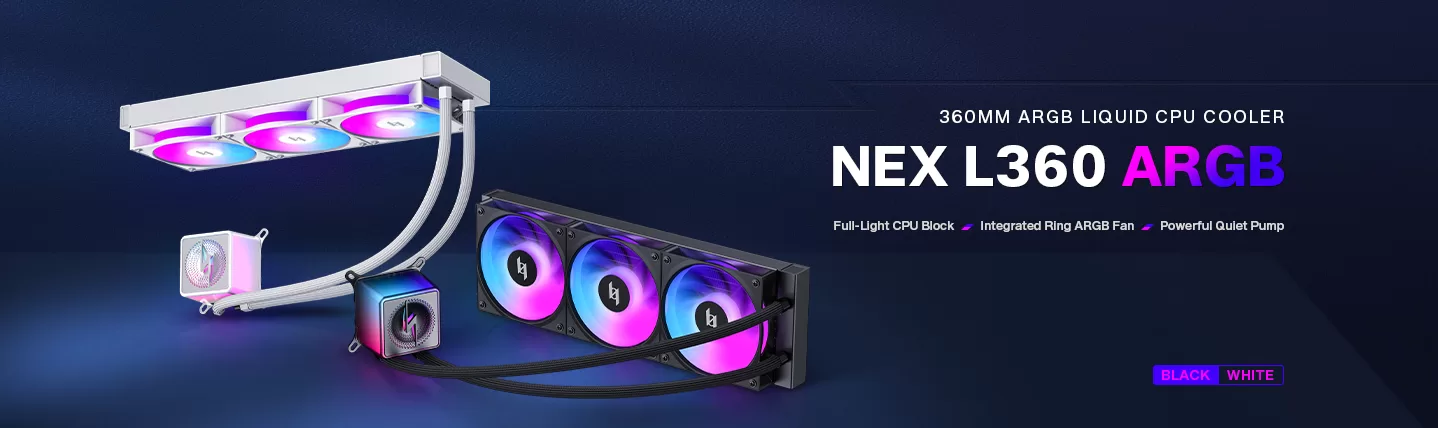
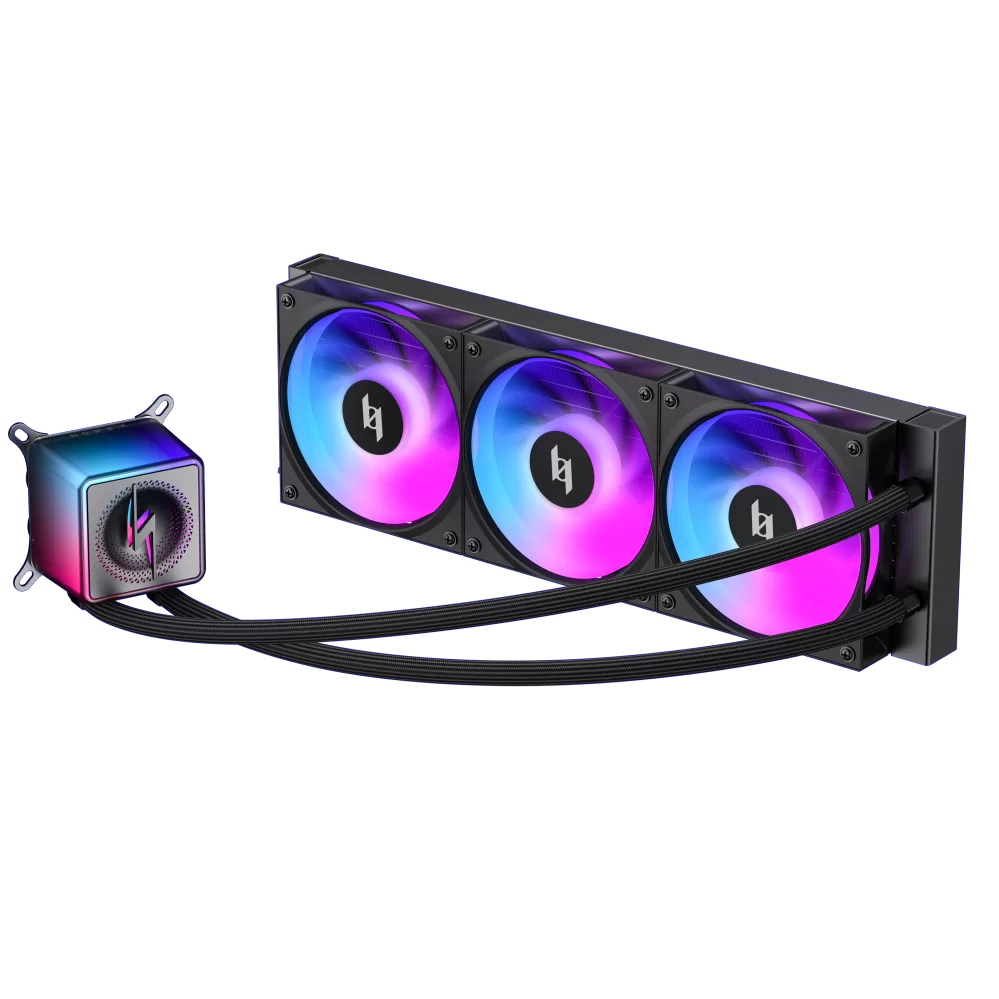
Every builder eventually asks the same question: AIO or air cooler? The honest answer is that a liquid cooler only earns its price when your CPU pulls serious power. Below roughly 200W, a well-made dual-tower air cooler delivers the same frame rates for less money, with zero pump noise and zero leak risk. Here is how to work out which side of that line your build falls on — and which XERON cooler answers it.
Quick Answer: AIO vs Air Cooler
| Short version: at 200W or less, start with an air cooler — quieter at idle, cheaper, and nothing that can leak. At 200W and up, or in a case with no room for a 160mm tower, a 360mm AIO wins on peak temperature and sustained boost. Fit, noise and looks break the tie. The number that decides it is your CPU’s actual power draw. |
How Each Cooler Actually Moves Heat
An air cooler does exactly one job: it soaks heat into metal. Copper heatpipes pull heat off the CPU plate and up through a stack of aluminium fins, and a fan pushes air through those fins. Warm air leaves the case. Nothing is pumped, so nothing can leak — and there is only one motor to tune.
An AIO replaces that metal with a sealed loop. A copper cold plate sits on the CPU, coolant carries the heat away, and a pump keeps the loop moving. The radiator then does exactly what a fin stack does, but with far more surface area — and it usually lives at the top of the case, where the hot air has already collected.
That is the whole argument in one line: the air cooler is simpler, cheaper and near-silent when idle; the AIO is stronger under load and frees the top of your case for a cleaner build.
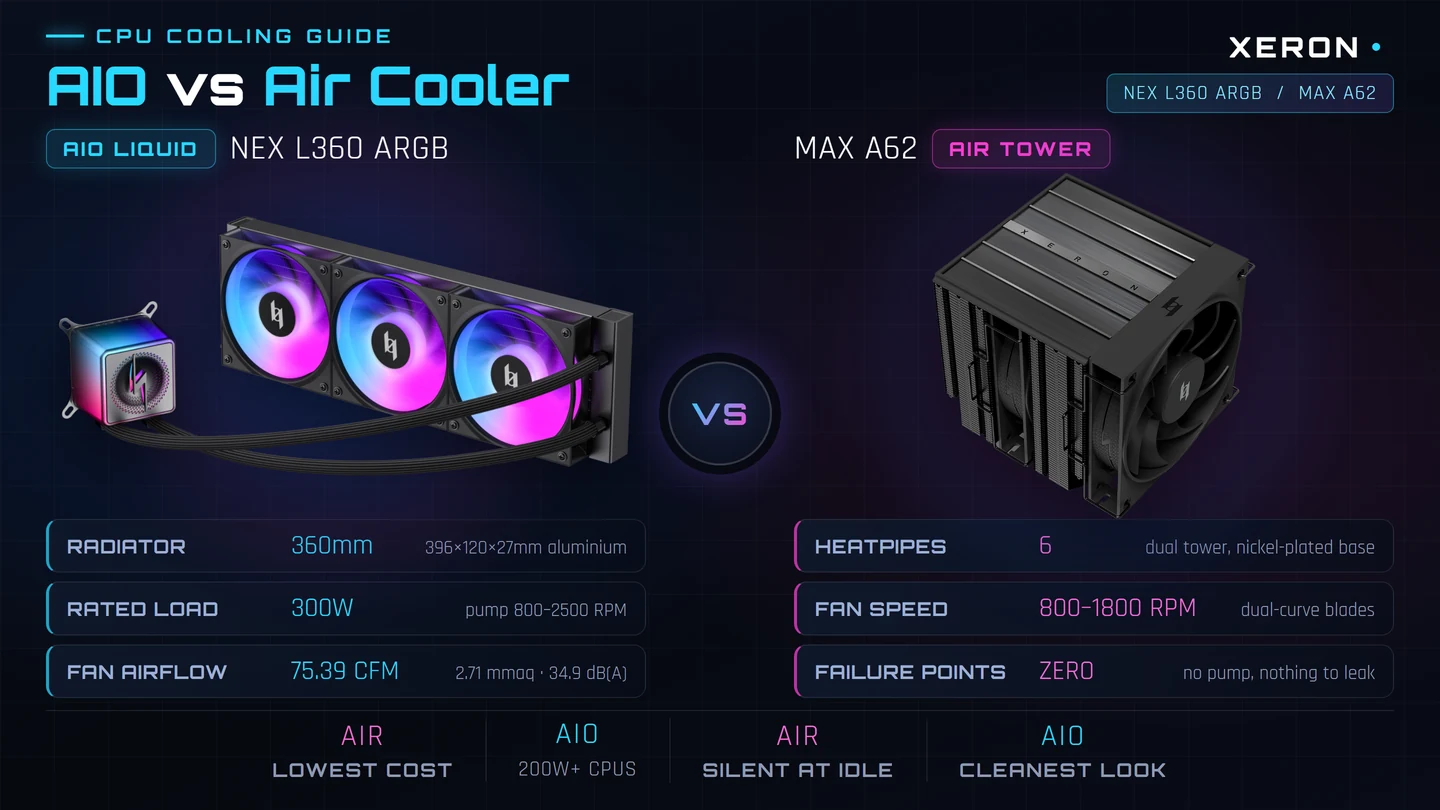
AIO vs Air Cooler: Head to Head
| AIO Liquid Cooler | Air Tower Cooler |
|---|
| How heat moves | Sealed liquid loop carries heat to a radiator | Heatpipes carry heat into an aluminium fin stack |
| Peak performance | Wins on 200W+ chips, and wins by more the harder you push | Matches an AIO on most sub-200W chips |
| Idle noise | The pump never stops — ≤30 dB(A) on the NEX L360 | One fan that you can let spin down or stop |
| Noise under load | Radiator fans dominate; pump stays in the background | Large, slow fans dominate — deeper but not harsher |
| Upfront cost | Usually the more expensive half of the cooling budget | Typically the cheaper half |
| Failure risk | Pump and coolant loop can fail; a leak is possible | No pump, no coolant, no leak |
| Maintenance | Check coolant level and tube routing now and then | Fit a bracket and it is done |
| Case clearance | Needs 360mm of radiator space plus room for fans | Needs 155–165mm of height above the socket |
| Looks | Clears the top of the case for a clean, open view | Adds a tower over the motherboard |
| Best for | Hot CPUs, small cases, showcase builds | Mainstream CPUs, silent builds, best value |
The Four Numbers That Should Decide It
Every cooler comparison online starts with brand names. Start with numbers instead — these four settle the decision before you ever look at a product page.
| Number | What It Tells You | Where To Find It |
|---|
| CPU power (TDP / PL2) | Whether you need AIO-level cooling at all, or whether an air tower is plenty | Your CPU spec sheet — check the maximum turbo power, not the base number |
| Radiator length (mm) | Whether a 360mm AIO physically fits your case | Case spec page — the NEX L360 radiator is 396×120×27mm |
| CPU cooler height (mm) | Whether a tower air cooler fits under the side panel | Case spec page — the NEX C56 allows 183mm |
| Noise at load (dB(A)) | What you will actually hear in a quiet room | Cooler spec page — NEX L360 fans are rated 34.9 dB(A) |
| Where builders go wrong: they pick the cooler first and the CPU second. A 65W office chip and a 250W unlocked flagship can share a case, but they should never share a cooling budget. Pick the CPU, read its maximum power, then pick the cooler — compare CPU power draw here. |
Noise: The Pump Is the Whole Argument
Here is where the two coolers genuinely feel different — and it is not under load. Under a hard all-core workload both are loud, because the fans are working hard either way. The difference shows up in the quiet moments: a pump has no off state.
The NEX L360’s pump is rated at ≤30 dB(A) and spins between 800 and 2500 RPM. In a quiet room you can hear it hum. An air cooler has one motor instead, and you can let that motor stop completely — which is why a good air cooler can be genuinely inaudible on a desktop and completely silent when the CPU is idle.
| Building for silence: an air cooler wins on idle noise, full stop. The fan curve can reach zero RPM; a pump cannot. |
| Building for silence on a 200W+ chip: an AIO still wins on peak temperature, and the pump is drowned out by the radiator fans anyway. Pick a pump with a wide RPM band so it can sit quiet at low load. |
| Positioning matters: a pump mounted high in the case sits above your head and gets masked by the case fans. Mounted low and near the motherboard, it is the loudest thing in the build. The NEX L360 cold head rotates for both vertical and horizontal mounting, so you can choose. |
| Do not forget the fans: an AIO without good radiator fans is a warm radiator. The NEX L360 ships with three daisy-chained 120mm fans at 75.39 CFM and 2.71 mmaq static pressure — that is the number that moves air through a dense fin stack. |
Will It Even Fit? Two Clearance Rules
Most AIO-versus-air arguments are really fit arguments. A 360mm AIO is a large object that needs a specific footprint, and a tower air cooler is a tall object that needs a specific gap. Check both before you spend anything.
| Rule | What To Measure | XERON Reference |
|---|
| Radiator length | The longest radiator the case accepts, and where it mounts | NEX L360 radiator is 396×120×27mm. The NEX C56 takes 120/240/280/360mm on top and 120/240/360mm at the motherboard mount |
| Radiator + fan stack | 27mm radiator plus 25mm fans is a 52mm block above the GPU | Fine in a mid-tower, tight in a compact case — check GPU clearance before mounting |
| CPU cooler height | The gap between the socket and the side panel | NEX C56 allows 183mm of CPU cooler height — room for a full dual tower |
| Socket support | Which sockets the mounting kit covers | NEX L360 covers LGA1851/1700/1200/115X and AM5/AM4, with a special AM5 offset bracket |
If you are still unsure whether your case takes a 360mm radiator, our PC case for 360mm radiator guide covers top, front and side mounting, and what to measure with a tape measure before you order.
Which One Should You Buy?
| Your Build | Buy This | Why |
|---|
| Mainstream CPU, up to ~150W | Dual-tower air cooler | Air is already at its limit here, and the cooler is cheaper, quieter and simpler |
| High-end CPU, 150–200W | Air tower, or a 360mm AIO for headroom | Either works — choose the AIO if the case is tight or the build is a showcase |
| Unlocked flagship, 200W+ | 360mm AIO | Only a large radiator holds boost clocks on a 200W+ part. The NEX L360 is rated for 300W |
| Small form factor or mini-ITX | AIO (or a low-profile air cooler) | A 160mm tower simply will not fit — this is the one case where AIO has no competition |
| Showcase build with a glass panel | 360mm AIO | It frees the top of the case and the sightline is worth the money |
| A machine that sits idle for hours | Air tower | No pump means no constant hum in a quiet room or a quiet office |
The XERON Cooling Options
Three coolers cover the decision above: two liquid, one air. All three are built for the same sockets and the same XERON chassis range, so the choice you make here carries straight into your case.
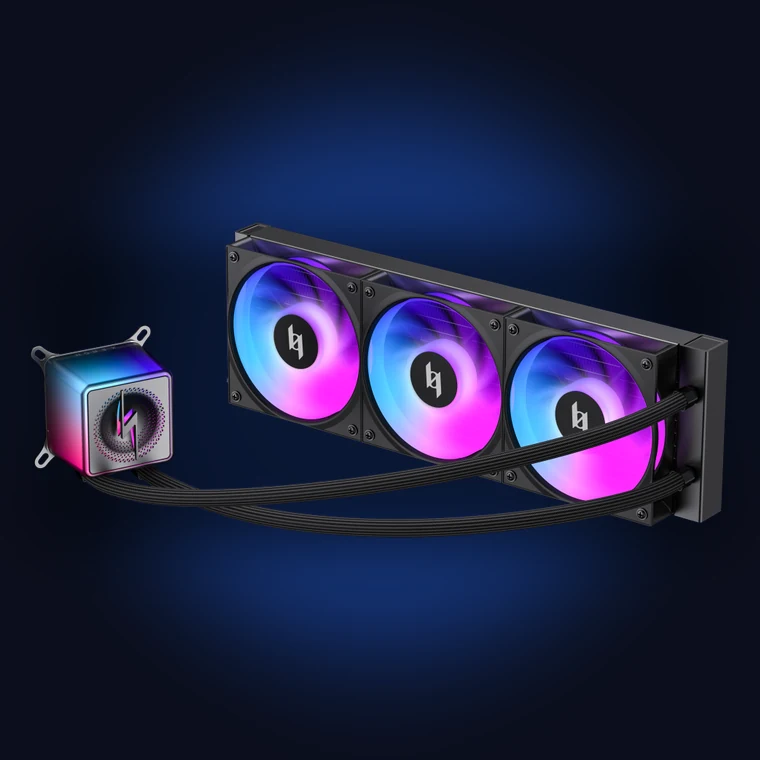 | 360mm liquid coolingNEX L360 ARGB396×120×27mm radiator · 300W rated · pump 800–2500 RPM · fans 800–2400 RPM · 75.39 CFM · 2.71 mmaq · 400mm tubes300W rated — the safe choice for unlocked 200W+ chips, on LGA1851/1700/1200/115X and AM5/AM4 20mm-thick aluminium radiator with three daisy-chained 120mm fans on one cable 3-phase pump at 800–2500 RPM and ≤30 dB(A), with a large pure-copper cold plate Special AM5 offset bracket for better contact on AM5 sockets
View NEX L360 ARGB |
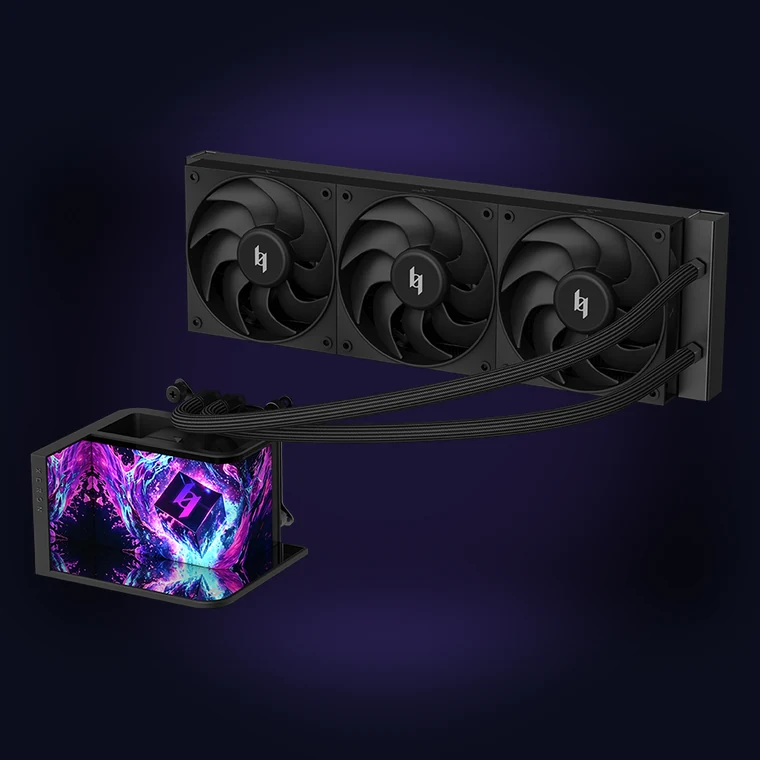 | OLED showcase coolingLUX L360 VISION360mm liquid cooler · 6.67-inch curved OLED screen · infinite reflection mirror · dual-curvature fan blades · low-noise pump6.67-inch curved OLED on the cold head, with official themes and 3D video playback Infinite reflection mirror design for a deeper, more premium look through the glass Dual-curvature fan blades tuned for low noise at the same airflow Black and white versions to match the rest of your build
View LUX L360 VISION |
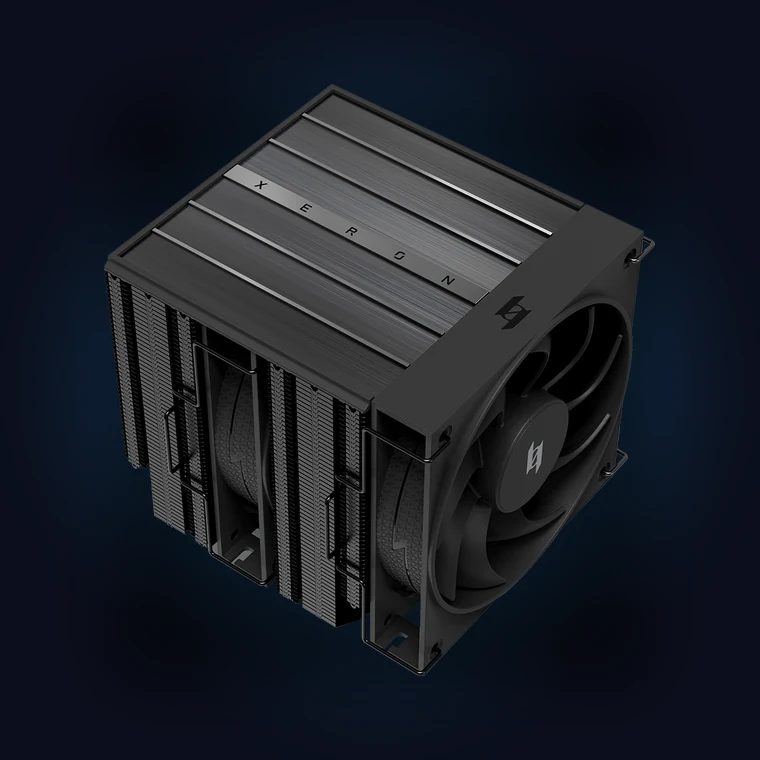 | Dual-tower air coolingMAX A62Dual tower · 6 heatpipes · nickel-plated fully welded base · 800–1800 RPM low-noise fan · aluminium top coverDual tower, 6 heatpipes for high thermal dissipation — and no pump anywhere in the loop Nickel-plated base with a full-welding process for even contact with the CPU 800–1800 RPM fan with dual-curve blades, quiet enough to stop completely at idle Aluminium top cover that lines up with the finish of the rest of the case
View MAX A62 |
| NEX L360 ARGB | LUX L360 VISION | MAX A62 |
|---|
| Type | 360mm liquid | 360mm liquid | Dual-tower air |
| Cooling capacity | 300W rated | 360mm radiator | 6 heatpipes |
| Standout feature | 5-sided ARGB cold head, daisy-chain fans | 6.67-inch curved OLED screen | Nickel-plated welded base |
| Moving parts | Pump plus three fans | Pump plus three fans | One fan |
| Pick it if | You run a 200W+ CPU | The cold head is the centrepiece | You want the cheapest, quietest, simplest answer |
AIO vs Air Cooler: FAQ
| Question | Answer |
|---|
| Which is better for gaming? | On a mainstream CPU, both hold the same boost clocks and deliver identical frame rates. The air cooler is the better buy because it costs less and stays silent when the GPU is doing the work. On a 200W+ chip the AIO is what keeps the boost clock from dropping mid-match. |
| Is an AIO worth the extra cost? | Only when you need the heat capacity. If your CPU sits at 150W or below, a dual-tower air cooler will keep it just as cool, and you spend the difference on a better GPU instead. |
| Can an AIO leak? | Modern sealed AIOs rarely do, but it is the one failure mode an air cooler simply does not have. If that risk bothers you, or your machine lives in a damp or unmonitored space, an air cooler removes the question entirely. |
| Will a 360mm AIO fit my case? | Only if the case lists 360mm radiator support. Check both the length of the radiator and the thickness — the NEX L360 is 396×120×27mm, and with 25mm fans the whole stack is 52mm deep. |
| Are AIOs harder to install? | Very slightly. You mount a bracket, screw the cold plate down, hang the radiator and connect the pump. An air cooler needs the same bracket work and then you push the tower down onto the board. Neither is difficult; the AIO just has one more tube to route. |
| Which is quieter for a silent PC? | The air cooler, without a doubt. It has a single motor that can reach zero RPM, while an AIO pump runs continuously at up to 2500 RPM. Read our silent PC case guide for the rest of a quiet build. |
| Do I need an AIO for a hot CPU? | If your CPU can pull 200W or more, yes — a 360mm AIO is the simplest way to hold peak boost. The NEX L360 is rated for 300W, and the NEX C56 case takes a 360mm radiator on top or at the motherboard mount. |
| What actually wears out? | In an air cooler, only the fan bearing. In an AIO, the pump is the extra wear part on top of that. This is why a lot of long-term builders still choose the simpler option for a machine that sits idle every night. |
Related Build Guides
Still not sure which one your build needs?
Start with your CPU’s maximum power draw. At 200W or below, the MAX A62 dual-tower air cooler is the quieter, cheaper, simpler answer. Above that, the NEX L360 ARGB holds the boost clock with a 300W rating.
Browse the XERON cooling lineup → |